How to Build a Custom Video Player for a Website?

Videos have become one of the most powerful tools on websites today. From product demos to tutorials and brand stories, videos help users understand faster and connect better. But using a default video player may not always match your website's design or business goals. But a custom video player gives you better control, branding and user experience.
Ways you can build a custom video player for your websites:
Using HTML5/CSS & JavaScript
The easiest way to build a custom video player is by using the HTML5 <video> tag, which lets you embed videos directly into a webpage without plugins. It works on all modern browsers and devices. It is used to design and customize basic controls like play, pause, volume and full screen using CSS and JavaScript. This is best for small websites or beginners who want simplicity with flexibility.

Using Open Source
Open source libraries give you a head start by providing pre-built functionality with customization options. Some examples are:
- Video.js
- Plyr
- MediaElement.js
These players support skins, plugins, analytics, captions and adaptive streaming. It is best for developers who want flexibility without building everything from scratch.
No-code Platform
A no-code platform lets you build websites, apps or video players without writing any code.
Platforms like Sato Video Player, Vimeo or Wistia allow you to create and embed highly customizable video players without any coding. You can control branding logos, colors, text colors, progress bars, thumbnails and more. It is best for e-commerce websites, microsites, portfolios, landing pages and more. A platform like Sato helps you to create a fully branded, custom video player and embed it on almost any website without writing any code.
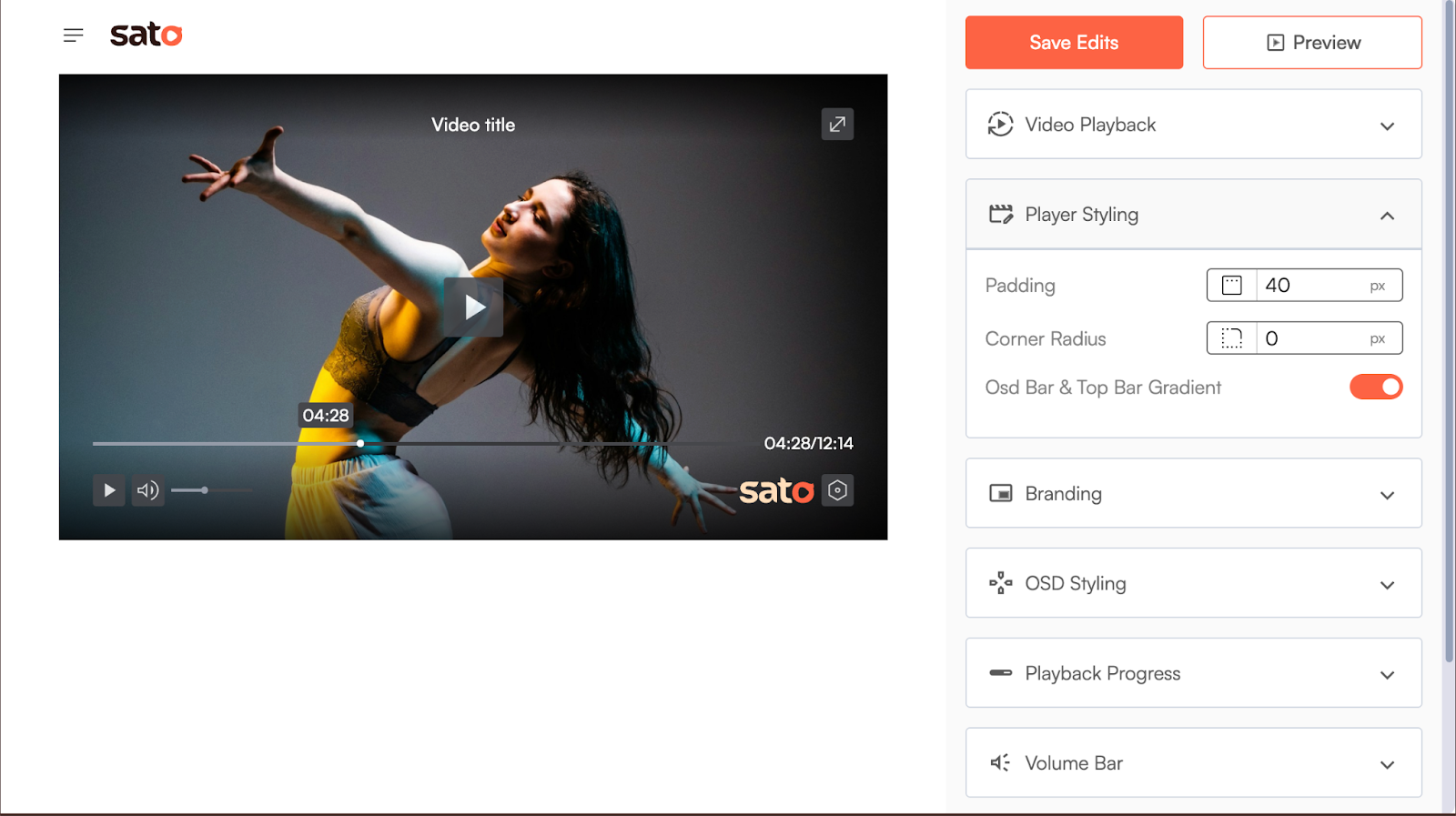
Moreover, building a custom video player from scratch can be a daunting task, but the prebuilt players help with a lot of built-in customisation, which saves both time and money. Whether you code it yourself, use open source tools or choose a no-code platform, each approach helps to create a better video experience for your website users.
You can try Sato’s free trial and build your custom player with today for your business and take full control of your users' video experience on your website.