Embedded video players for websites: Sato Vs Wistia

When it comes to choosing the right video player, we often consider many factors like customization, security, revenue, good user experience and also long-term growth.
Some of the questions that can come to our mind are:
- Is the pricing transparent?
- Does it fit my monthly/annual budget?
- Is the dashboard simple or confusing for new designers?
- Does it work on all browsers and devices?
- Can I remove third-party branding?
These are some of the concerns that might arise and a fair comparison is always necessary before any subscription. Here, we have compared two video players, Sato and Wistia and have tried to bring a clear picture of which one is best and how it works according to its price range.
Sato is a no-code tool that helps you in customizing your video player for your website. You can customize brand colours, brand logo, set player padding, position progress bar within the video player and many more. The tool is compatible across most development websites. Anyone can use it from small businesses to large ones.
Wistia is a video player tool that provides control over your video with a fully customized player, high-quality playback, lead generation tools, deep analytics, and no ads. It is useful mainly for marketing and business growth. Wistia gets expensive when you want more features or want to remove their branding.
An Affordable Solution
One of the biggest differences Sato has over Wistia is its pricing structure. Wistia starts with a free plan, but the moment you need essential features – such as removing Wistia branding, unlimited players and unlimited duration, you will be pushed into their expensive paid plans that go as high as $19 per month. This makes Wistia impractical for small businesses and solo content creators.
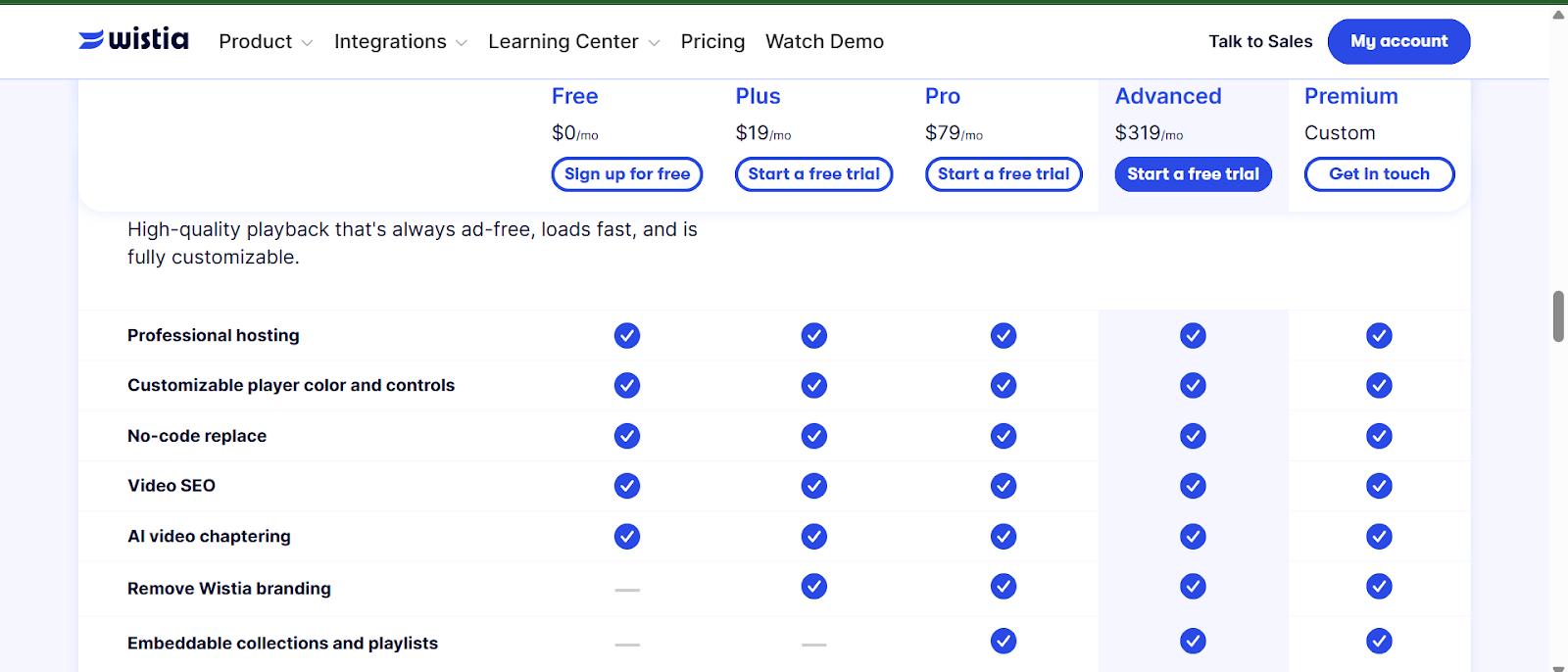
Wistia becomes expensive as you move to higher plans, especially if you need branding control, creating playlists, advanced analytics and SEO tools.
Whereas, Sato offers a $0 free plan that already gives you lifetime hosting, lifetime storage, support, unlimited video duration, branding freedom and unlimited players. Even Sato’s paid plan comes at just $8 a month, making it 2x cheaper than Wistia while still giving you the flexibility you need, according to your wishes.
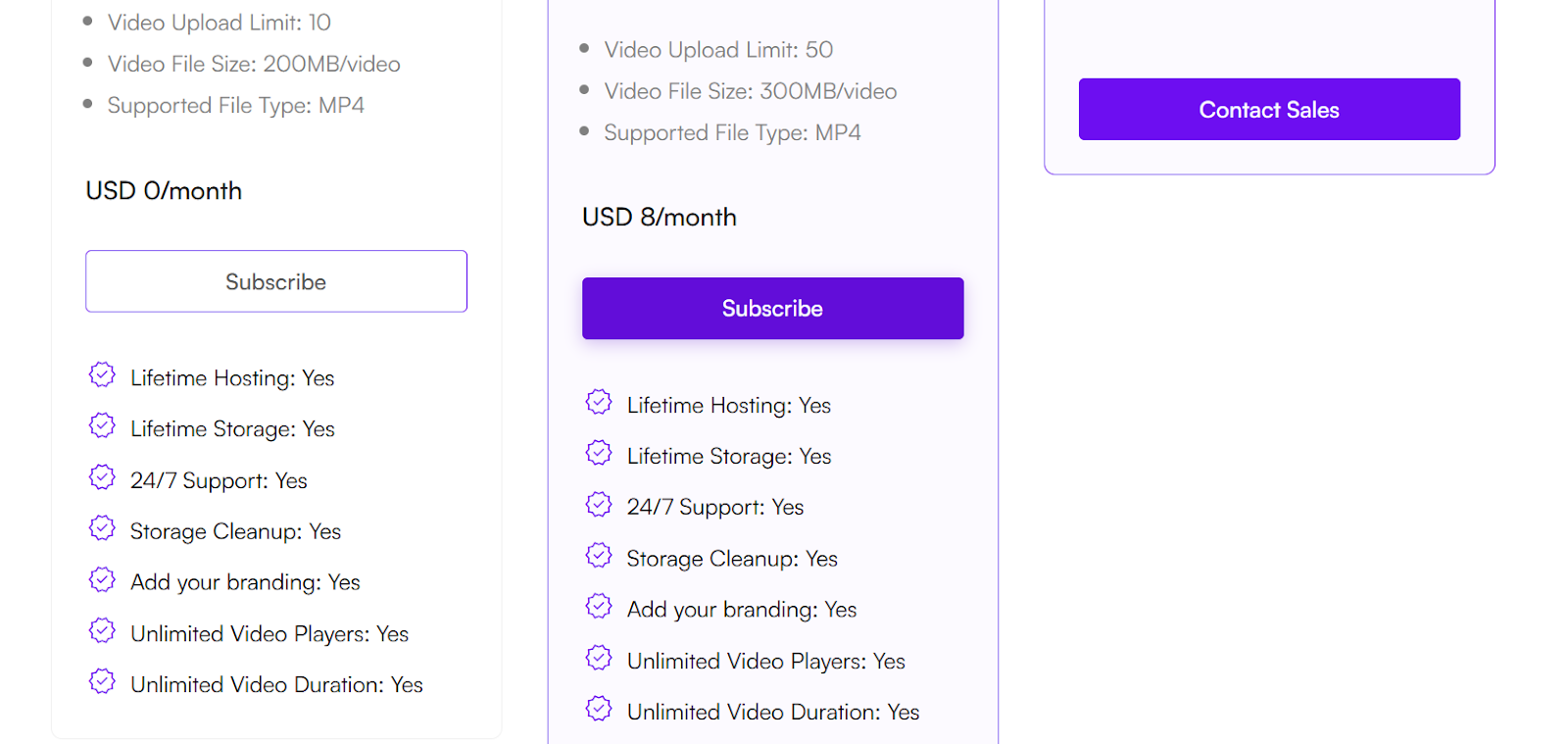
Instead, Sato is much more durable and pocket-friendly. You don’t have to dig a hole in your pocket to enable a video hosting service.
Full control over branding
Beyond pricing, Sato shines in the area that creators care about most i.e ownership and branding control. While Wistia allows branding removal only on higher-tier paid plans, Sato gives you full control right from the free plan itself. You can upload your content, add your own logo, change player styles and create a fully white-labeled experience. This makes Sato the best platform for educators, course sellers and businesses who want their content to look truly professional and independent.
Storage & Hosting
Another area where Sato outperforms Wistia is its promise of lifetime storage and unlimited usage. With Wistia, your storage space is tied to your pricing tier — more videos mean higher bills. But Sato gives you lifetime storage at no cost which means your videos remain safe, accessible and organised forever. You are not restricted by the number of video players, the length of your videos or the size of your audience. Whether you are hosting 5 videos or 40, Sato maintains the same smooth performance while keeping your costs stable.
Support & Services
For creators who want reliability, Sato includes 24/7 email support, priority support and can also have access to the customer manager which are included in the free plan itself, because we believe customer service should be free for all, rather than being pushed into a premium plan.
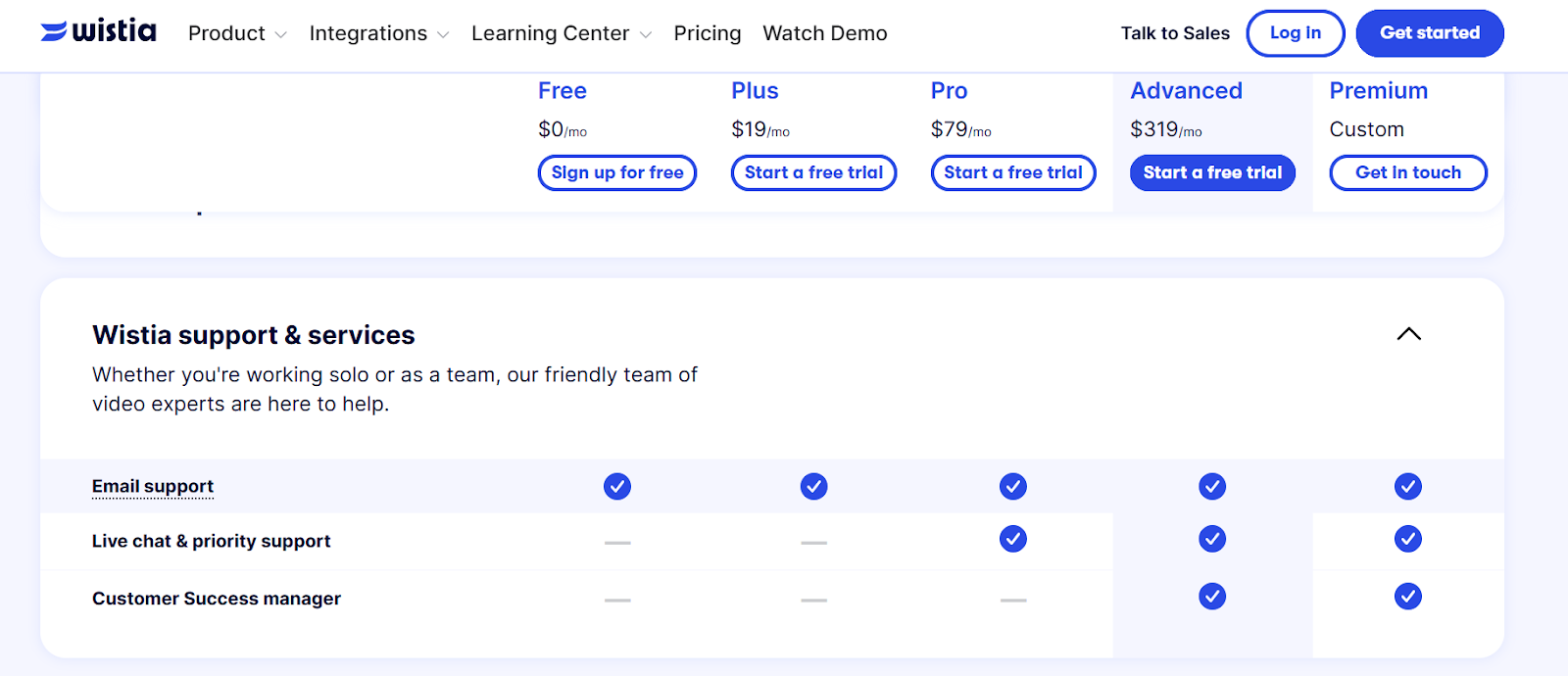
While Wistia also provides email support to its users for free, live chats,priority services and a special customer success manager can only be found in the Advanced and Premium Plans. So, there are chances that your questions might not be answered on time unless you move to the premium and advanced tier which is expensive.
Full Freedom Over Customization
Both Wistia and Sato players let you customise your video player during the free trial but the comparisons are a bit stark. Wistia customisation focuses on branding and viewer experience. You can change the player colour to match your brand, add a custom thumbnail, insert chapters and adjust how the video plays (autoplay, loop, controls, etc).
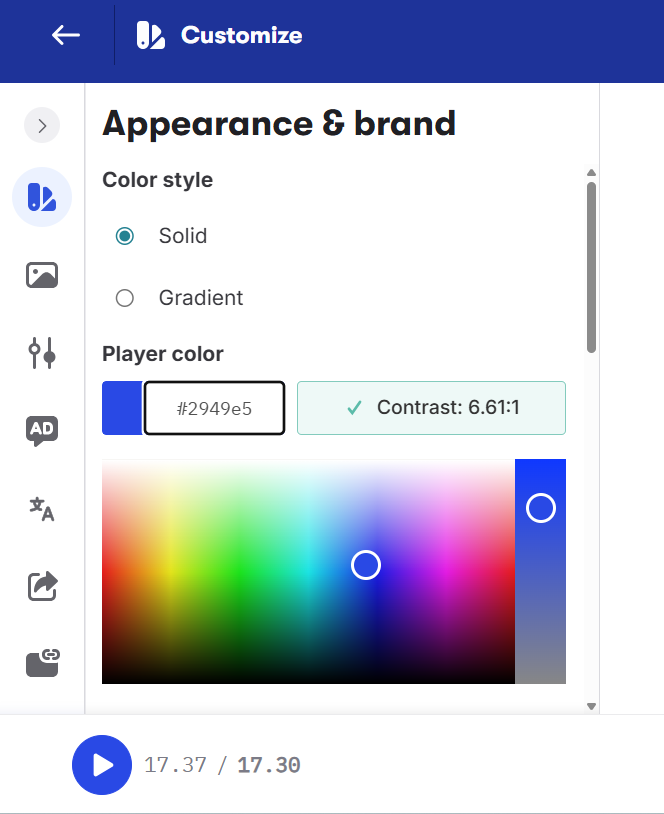
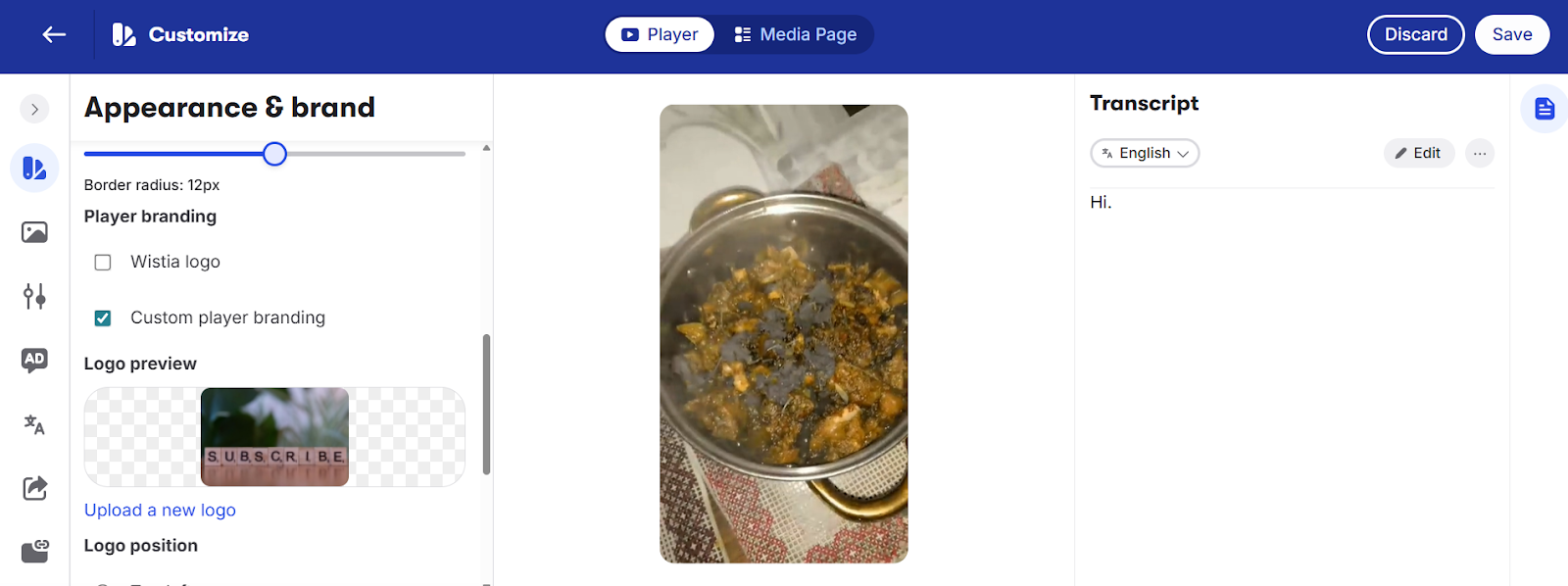
While Sato gives more flexible and 50+ customization options even in the free trial. You can adjust the player design, change the layout, control access, add branding elements, customise buttons, upload subtitles, add watermarks and set layback rules and many more. While Wistia markets advanced features like AI chaptering and video SEO, the reality is that most educators and small entrepreneurs like you rarely need those expensive tools. What they need is stability, unlimited hosting, full branding control and simple functionality. This is exactly what Sato delivers effortlessly.
Smooth Interface
Sato has a clean look so you can find what you need right away, whereas Wistia has a lot of advanced tools and menus. This makes its screen feel crowded and makes it difficult for new users to figure out where to start or how to do basic tasks. Sato is designed to be very clear and straightforward for users to have a smooth experience.
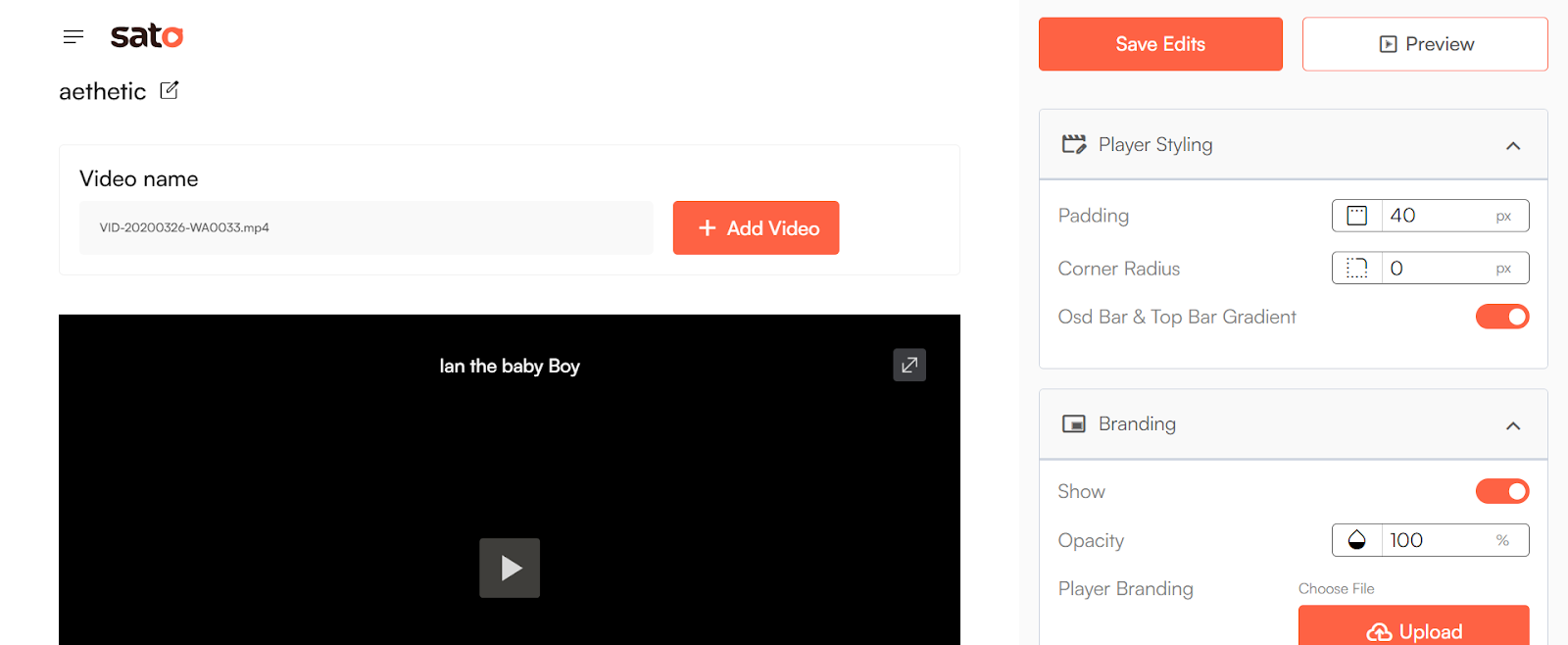
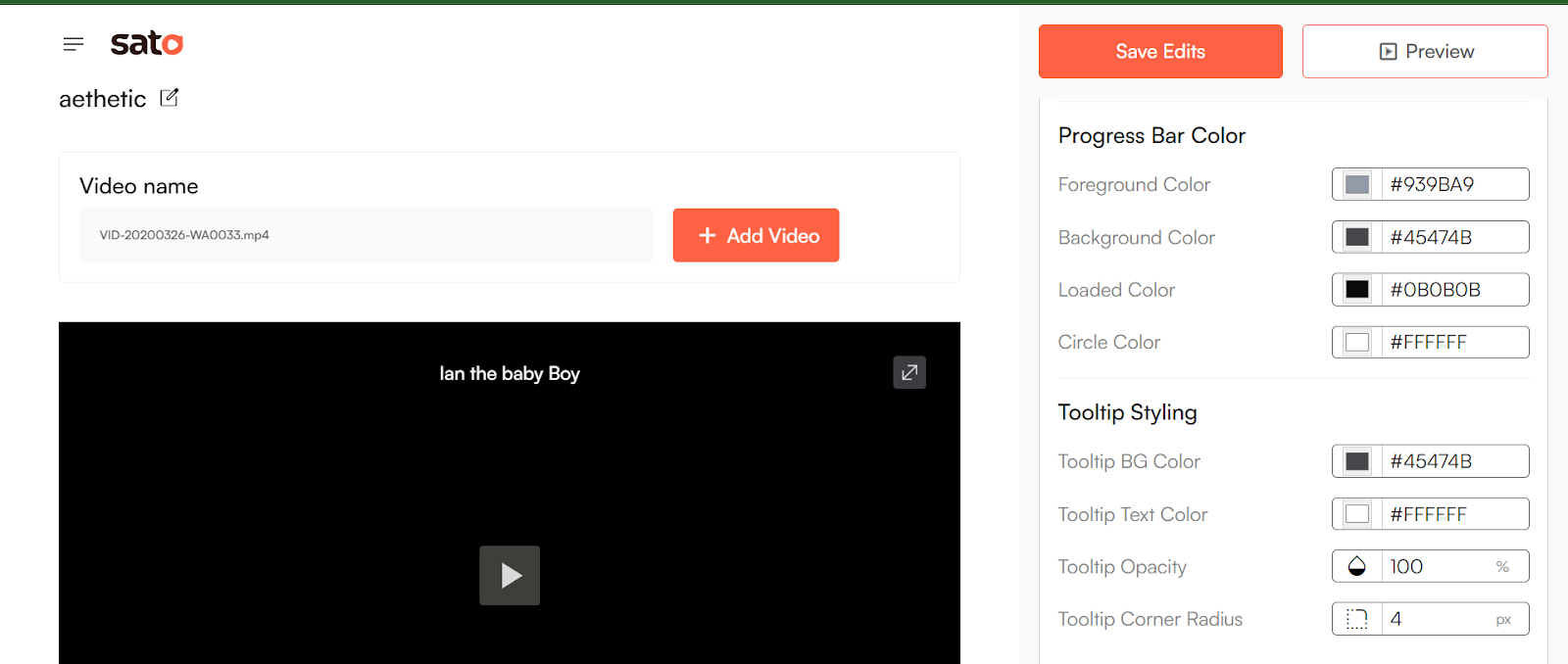
Sato's easy design lets you play and edit video players quickly while Wistia’s complicated look can slow down customising, making it difficult to stick with the platform. Once you start using Sato, you can understand its interface and its smoother functioning.
Final Thoughts/Overview
So, if you are a small business looking to embed a player on your website, Sato is free and comes with all the customization options. In case you are a big business with a massive video library and video player equipment, moving to the paid plan will be beneficial. Either way, Sato is affordable, lightweight and will suit your business requirement. So, if you want unlimited and affordable video hosting with full branding freedom, Sato works wonders for your projects. And Wistia might work for teams with large budgets.