Sato vs. Vimeo Player: What’s Best For Your Business?
An engaging website is what every business prefers. Given that people are more likely to interact with video-first websites, thus embedding videos within them makes the site more dynamic.
However, videos on your site shouldn’t look like an add-on. They should seamlessly blend with your brand aesthetics. That’s where custom video players shine, giving you total control over how your video player should look across all devices.
Vimeo's online video player emerges as the most reliable option at this point. One of the leading video platforms, Vimeo helps businesses offer the best video-viewing experience possible. With features like ad-free videos, enhanced accessibility, and support for high-resolution formats (including 4K, 8K, HDR, and Dolby Vision), small and big businesses can easily embed their videos anywhere. Besides hosting, editing, and sharing high-quality videos, this HTML5 MP4 player is also customizable.
The Vimeo challenge
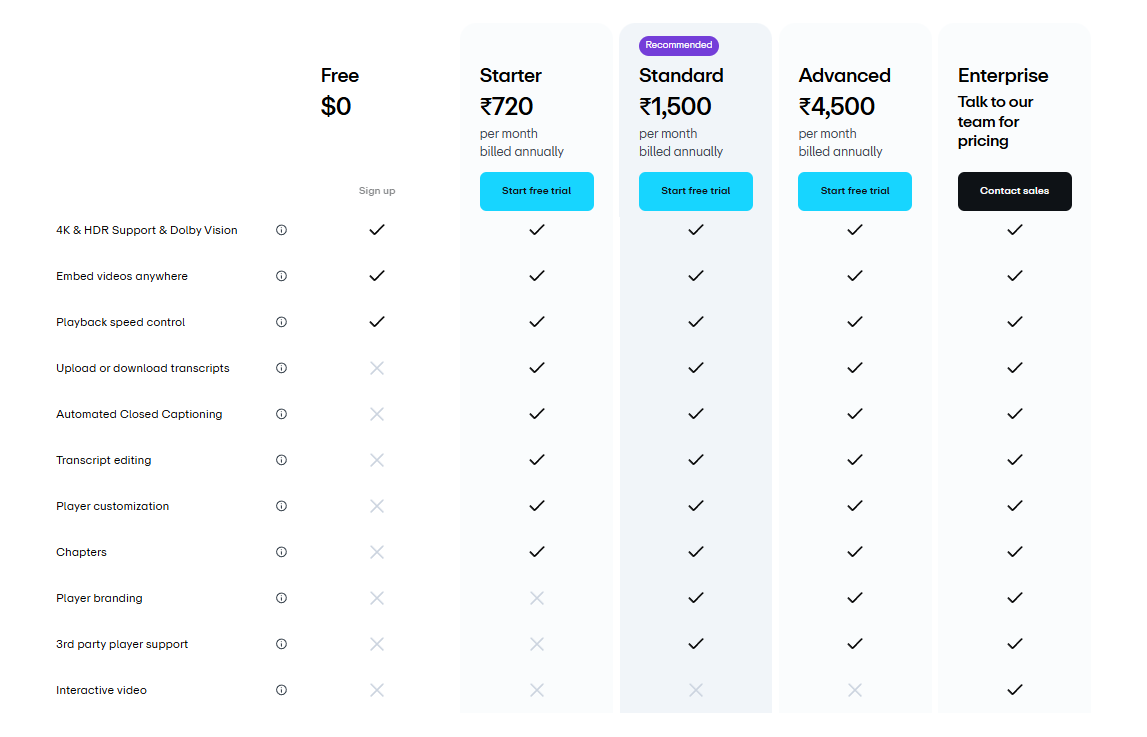
Although Vimeo stands out with features like player customization (hiding or unhiding player elements from view, and changing brand color, player buttons, icons, playbar, and more), they are available only on the Starter Plan (₹720 per month) and above, which is a barrier for most small-sized businesses or startups. Moreover, the option to add a brand logo to the player is only accessible on the Standard Plan (₹1,500 per month) and above.
As a result, our engineering team felt that there needs to be a solution – to provide businesses with the power to fully customize the video player at a much reasonable price.
And this realization led to the birth of Sato.
How is Sato any different from Vimeo?
Sato is a no-code tool that helps developers, designers, and marketers to host videos and build their highly customizable HTML5 video player. With over 50 customization options, including adding your brand logo, changing player colors, buttons, playback settings, thumbnails, and more, Sato empowers you to style your site your way.
And the best part is that, all of these player customization and branding options are included in the free plan. Plus, you will get lifetime hosting, lifetime storage, 24/7 support, storage cleanup, unlimited video players and unlimited video duration.
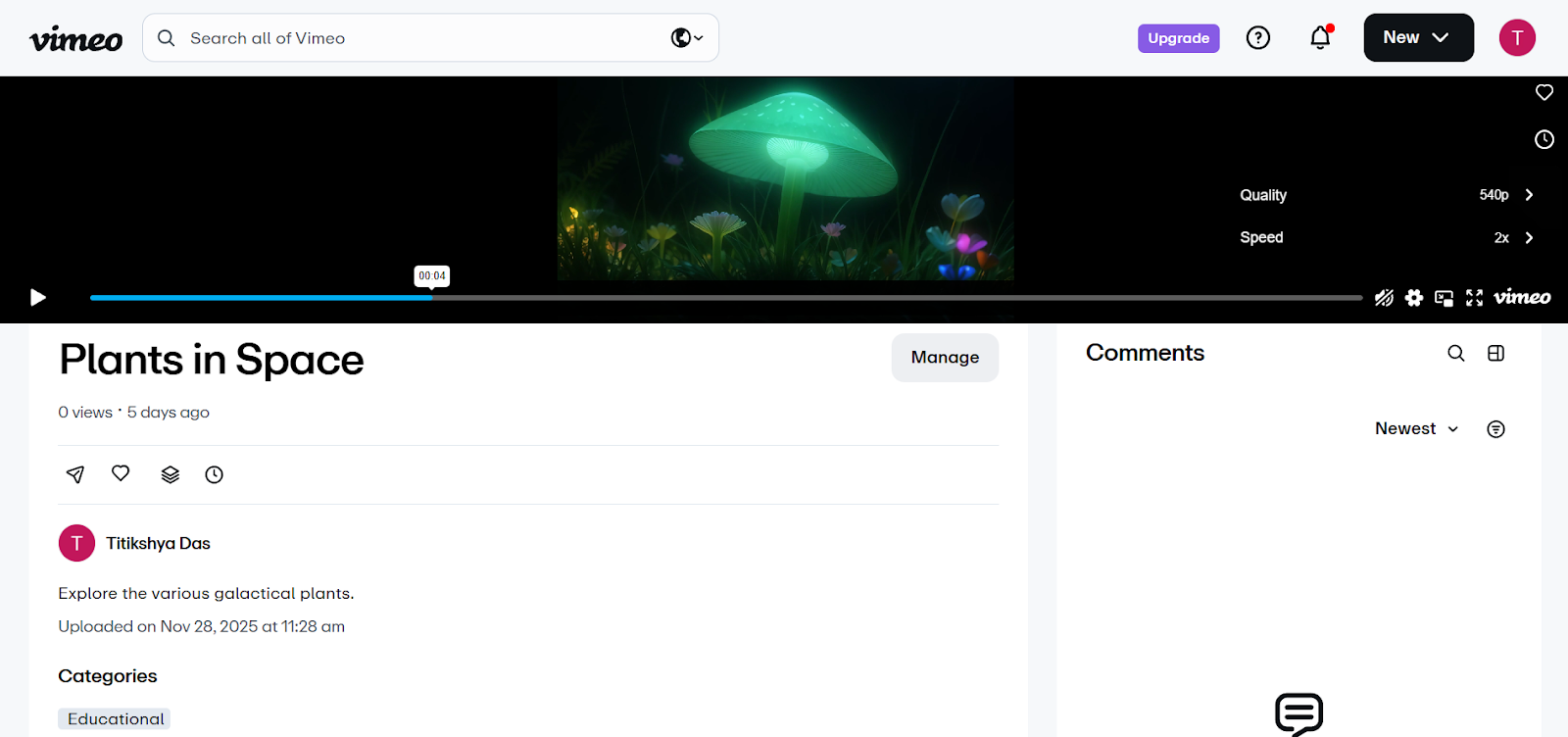
Whereas, Vimeo's free plan excludes all customizing possibilities except for adding video title, description, thumbnail, content rating (whether all audiences can watch it or not), tags (keywords), categories (whether educational or comedy and so on), and copyright claim as well as changing the video playback quality and speed.
A strategic pricing structure for every business
An affordable pricing strategy shouldn’t be an afterthought; rather, it should be the key component in the initial stages of the product development lifecycle to meet the requirements of diverse teams.
Thus, keeping the financial capabilities of businesses in mind, Vimeo provides flexible pricing alternatives ranging from ₹0 to ₹4,500 per month. Although you can start with a free plan, it has limited features and no player customization options, pushing businesses to switch to higher-tier plans.
But, for small businesses who are just starting out with a single video on a landing page, the Starter Plan of ₹720 per month will be difficult and unjustifiable as they have additional expenses – such as business premises rent, electricity bills, team salaries, etc. – to consider.
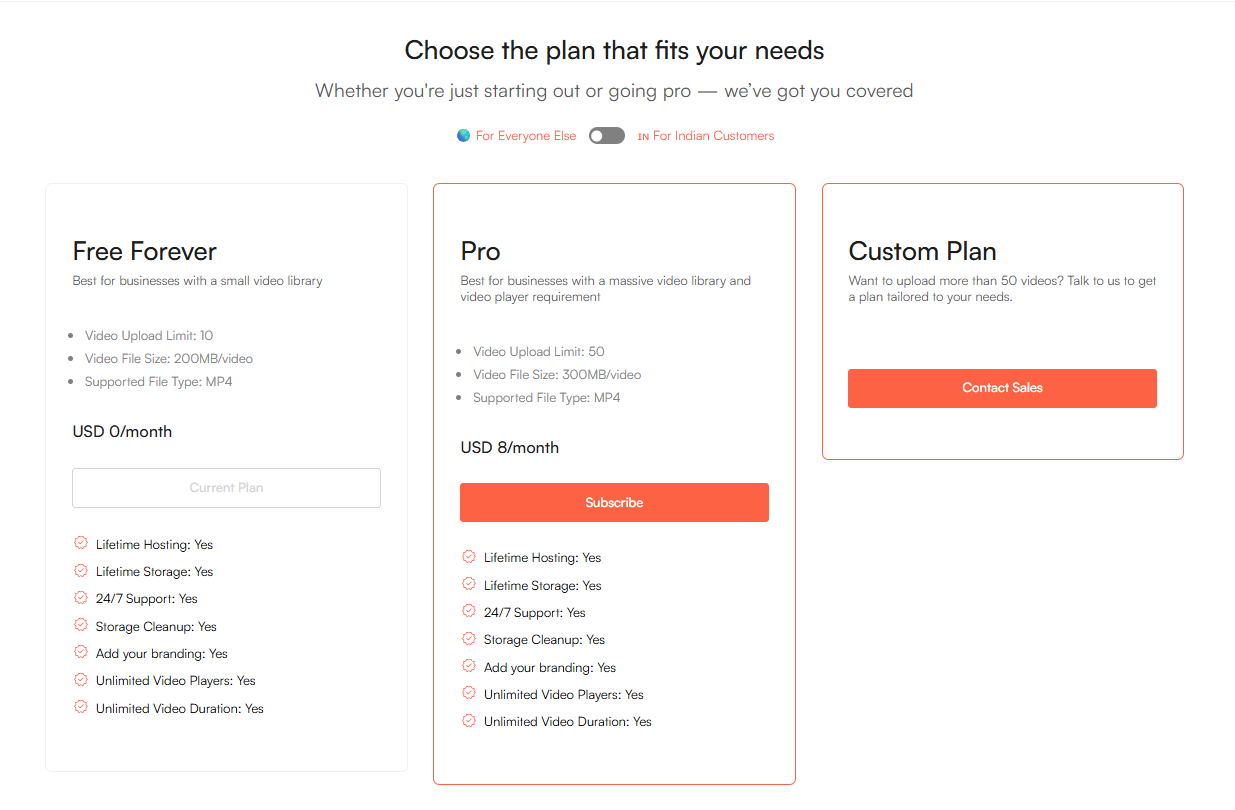
What differentiates Sato is its highly affordable pricing plan. Sato’s pricing structure allows developers and product teams to evaluate the video player's workflow before upgrading to the Pro plan. So, even small businesses with minimal requirements can get their highly customizable player on the free plan, or explore the higher plan, which is considerably reasonable.
The Free Plan includes practically all of the premium features available in the paid plan. The Pro plan, which costs USD 8 per month (INR 850 per month) is for enterprises who want a large video library.
A simple UI always works best
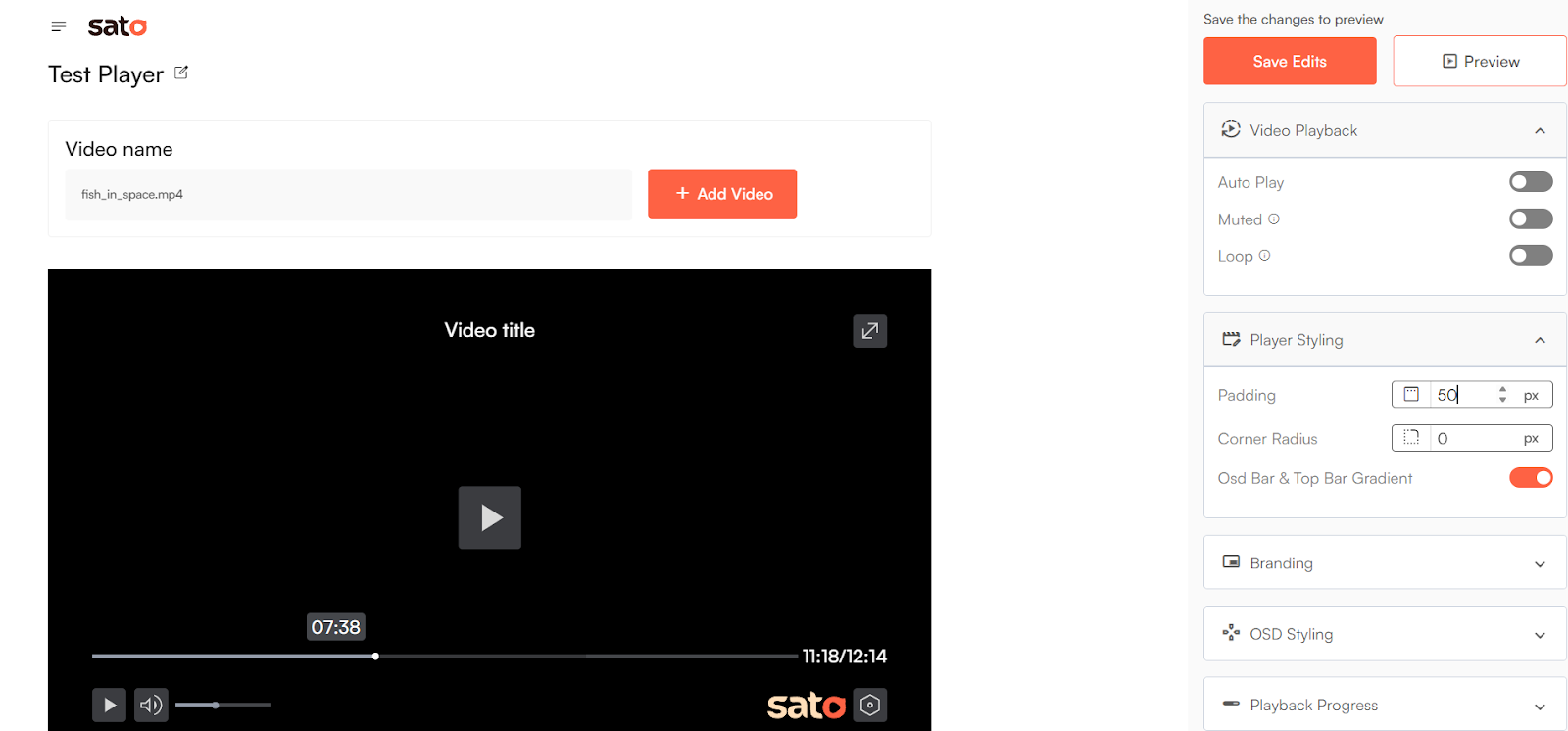
A clean, easy-to-use user interface (UI) always outperforms a complicated one. That’s what drove our engineers to design a sleek, intuitive, and responsive UI that is easier to navigate, even if you are unfamiliar with the tools.
While Vimeo is known for its user-friendly interface, beginners may find it difficult to use at first. To make the most of its robust tools, one might need to learn using them. However, to simplify how things work, Vimeo provides guidance in the form of articles; despite this, to access the relevant article, you first have to go to the player's help center and then type your query into the search bar, making the entire process exhausting.
But, Sato offers a comprehensive, step-by-step guidance so that you can easily understand the player and start styling it right away.
Sato’s availability on Webflow marketplace
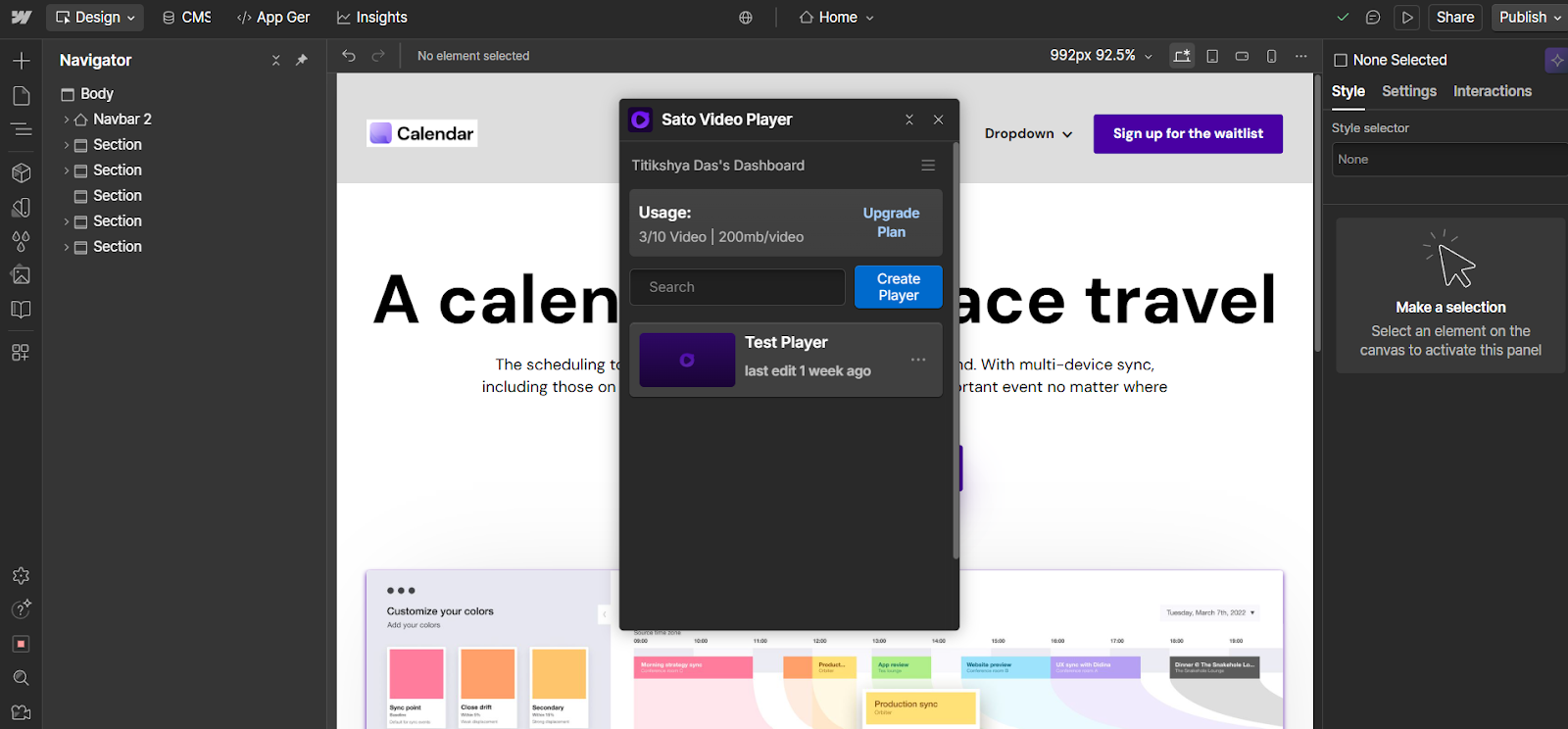
Sato is available on the Webflow marketplace, which simplifies the entire video player customization and embedding process.
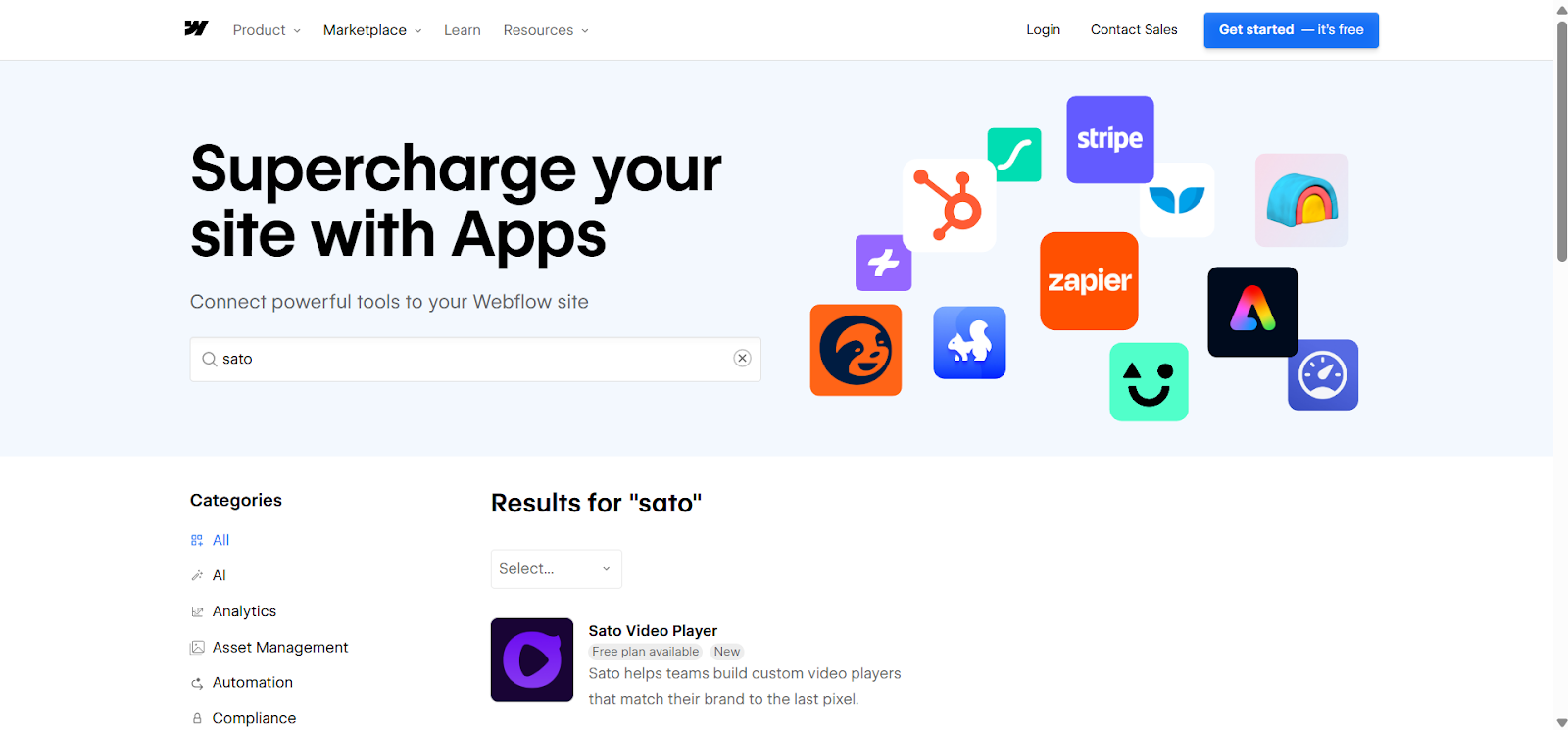
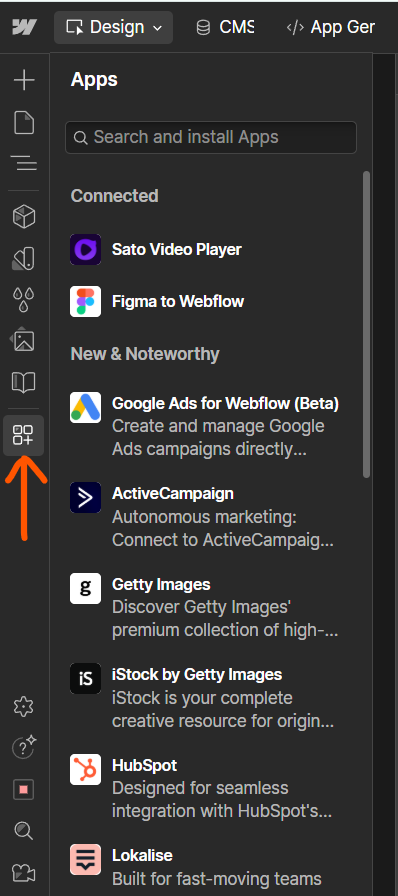
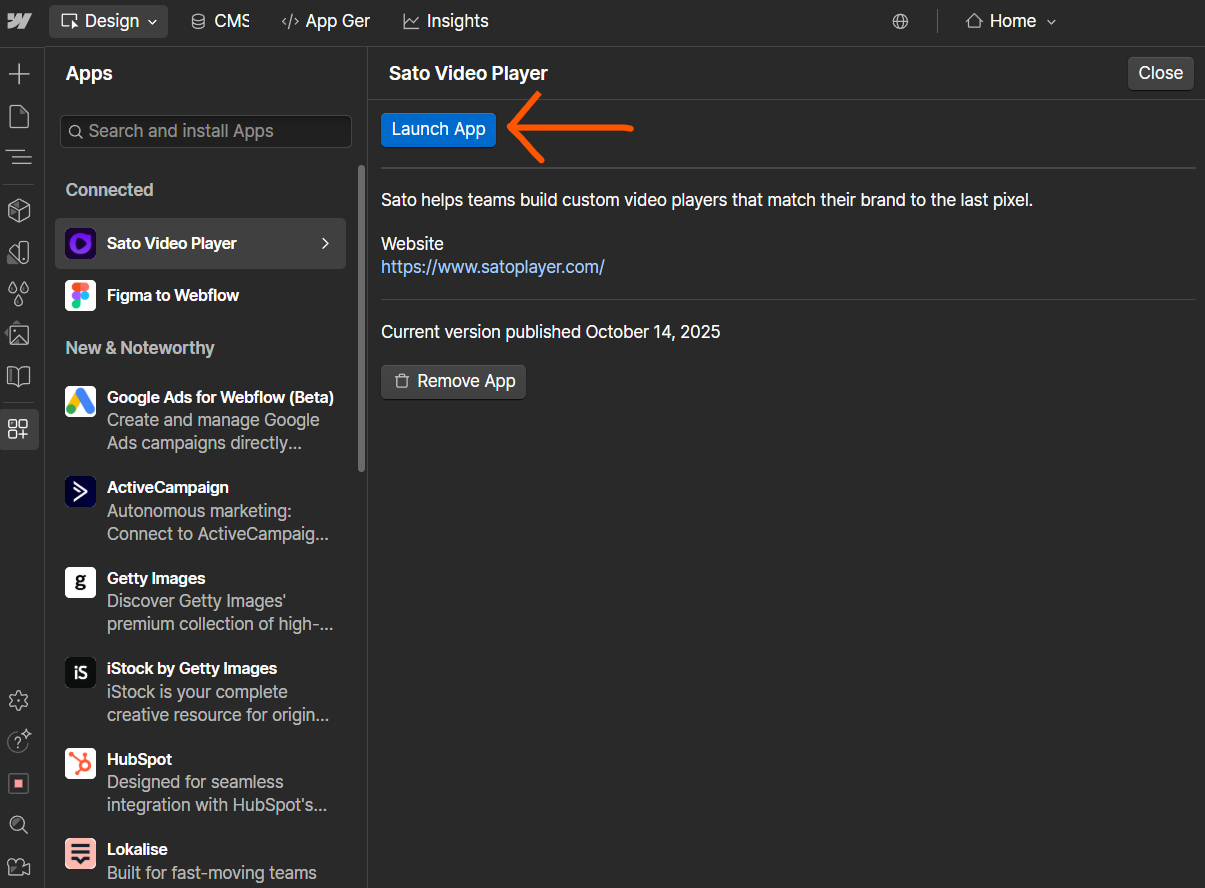
If you're building your website on Webflow, you can directly access your Sato dashboard from Webflow without having to switch between tabs or windows. Simply go to app, search for Sato player and launch it on your site.
But, since Vimeo isn’t available on the Webflow marketplace, you must first upload your video and customize the video player on the Vimeo dashboard, after which you can embed the video into your dedicated website. This results in a lengthy process overall.
Sato is also being launched on other platforms, such as Wix and Canva, making it easier for teams to access the Sato dashboard directly from the apps themselves.
When should you use Sato?
Both Sato and Vimeo offer solutions for embedding videos on your websites. While Vimeo excels with advanced marketing features such as editing and analytics, Sato stands out as the go-to option for all things customizable, even in its free plan.
Sato is ideal for you if you’re working on smaller projects, such as a single video on your landing page. Alternatively, if you are someone looking for a massive video library and video player requirement, Sato is still the best option; all you need to do is upgrade to its affordable Pro plan.
So, it’s time to restyle those buttons and icons, add your sleek logo, and transform your video player into something that will turn heads.
You can try Sato’s free trial and build your custom player with today for your business and take full control of your users' video experience on your website.